
Garage management software
Motora
Every vehicle's repair journey, in one place.
Motora replaces paper job cards and endless phone calls with one simple system for the whole workshop: job cards, repair status, mechanics, estimates, payments and service reminders. It runs in the browser on any phone, tablet or computer, for bike, scooter and car workshops.
- Runs in the browser
- Bikes, scooters & cars
- Role-based access
Sound familiar?
Running a workshop on paper and memory is hard
Paper job cards get lost
Torn registers, unreadable handwriting and no record of what the customer actually asked for.
“Is my car ready?” calls all day
Nobody knows which vehicle is at which stage, so advisors keep walking to the bay to check.
No service history
When a vehicle comes back, you cannot see what was done last time, by whom, or what it cost.
Features
Everything your workshop needs, nothing it doesn’t
Built around the way service advisors and mechanics really work.
Digital job cards
Create a job card in minutes: customer, vehicle, odometer, fuel level, damage and complaints, all in one place.
Live repair status
Move each job from Received to Inspection, In Progress, Ready and Delivered, with a time-stamped trail.
Vehicle & customer history
Search by registration or mobile number and see every past visit, repair and estimate instantly.
Mechanic assignment
Assign jobs to mechanics. Each mechanic sees only their own jobs, and never your prices.
Estimates with GST
Labour and parts with quantity, discount and tax per line. Totals are always calculated correctly.
Payments & daily collection
Record cash or online payment at delivery and see what was collected today at a glance.
WhatsApp service reminders
Remind customers when their next service is due with a ready-written WhatsApp message.
Printable job cards
Print a clean customer copy with your garage details, checklist and estimate, minus internal notes.
How it works
From arrival to delivery in three steps
- Received
- Inspection
- In Progress
- Ready
- Delivered
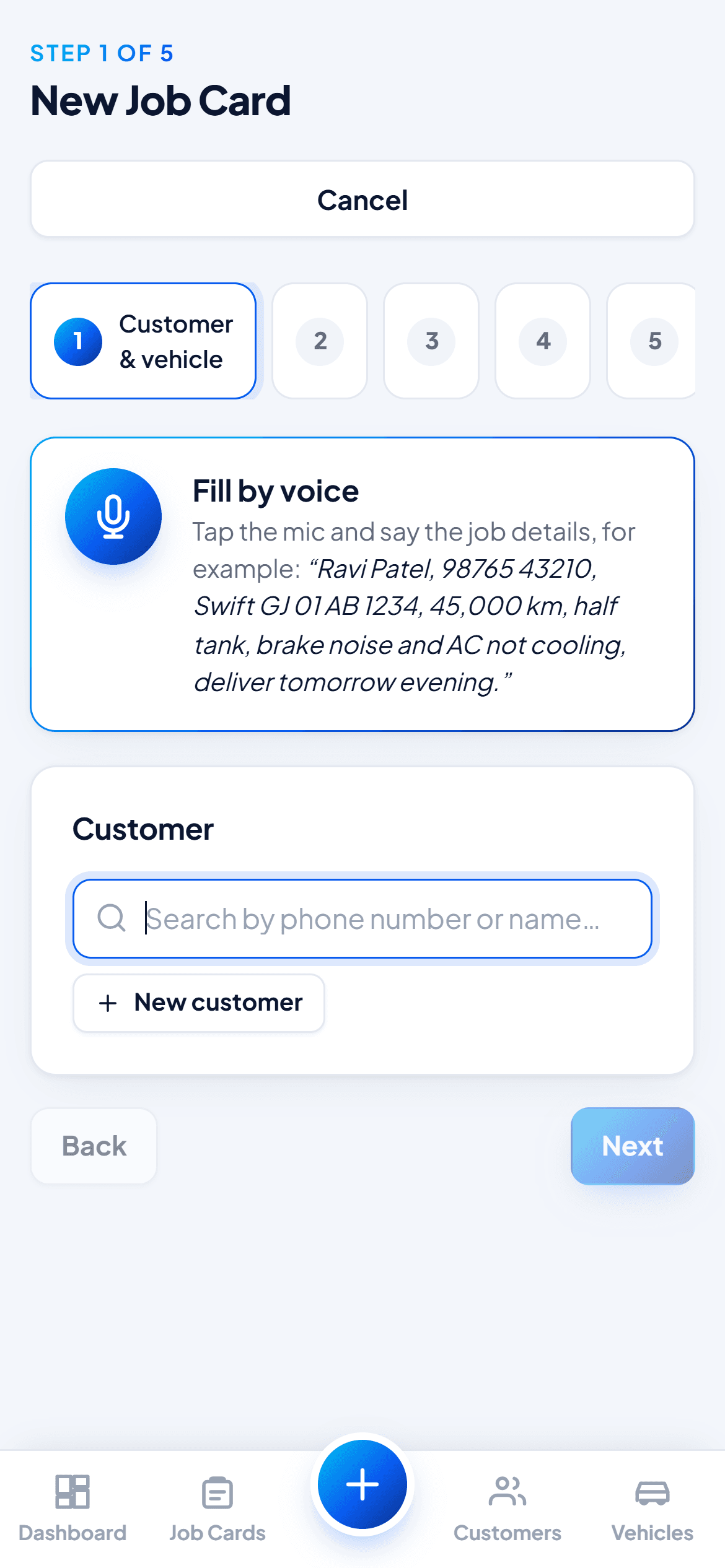
Vehicle arrives
Create the job card at the counter: pick or add the customer, note the complaints and the checklist, and assign a mechanic. Or fill it in by voice.
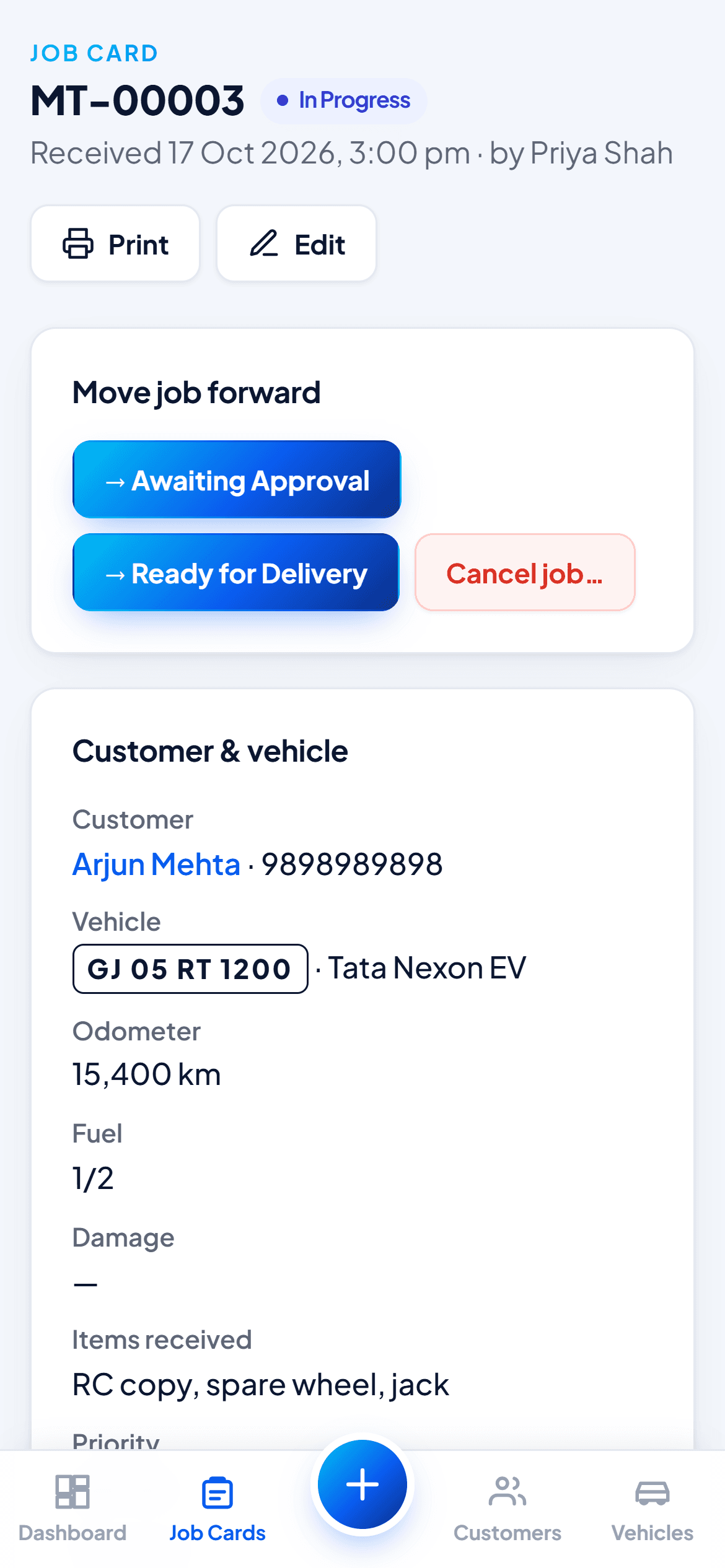
Work gets done
Mechanics update the status from their phone. Advisors and the owner see every job and every delay as it happens.
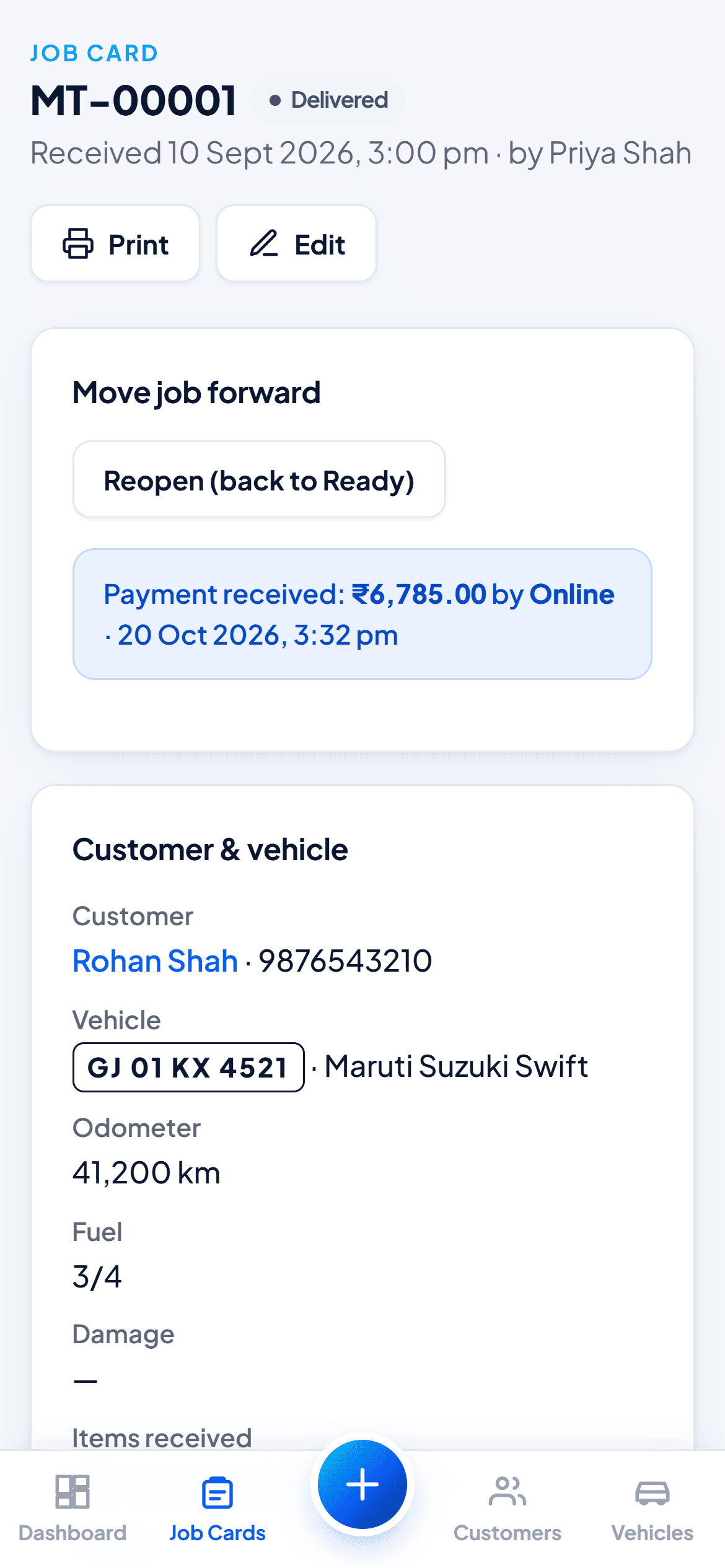
Deliver & follow up
Record the payment, hand over the vehicle, and send a WhatsApp reminder when the next service is due.
For your whole team
The right screen for every role
Everyone sees what they need to do their job, and nothing they shouldn’t.
Owner
Everything: all jobs, money, staff accounts and garage settings. Only the owner can cancel or reopen a job.
Service advisor
Creates job cards, manages customers and vehicles, prepares estimates and delivers vehicles.
Mechanic
Sees only the jobs assigned to them, updates progress and notes. No customer prices on screen.
Screenshots
Your whole workshop, in your pocket
Nothing to install. Motora opens in the phone’s browser and can be added to the home screen like an app, so your team can use it at the counter, in the bay or on the move.
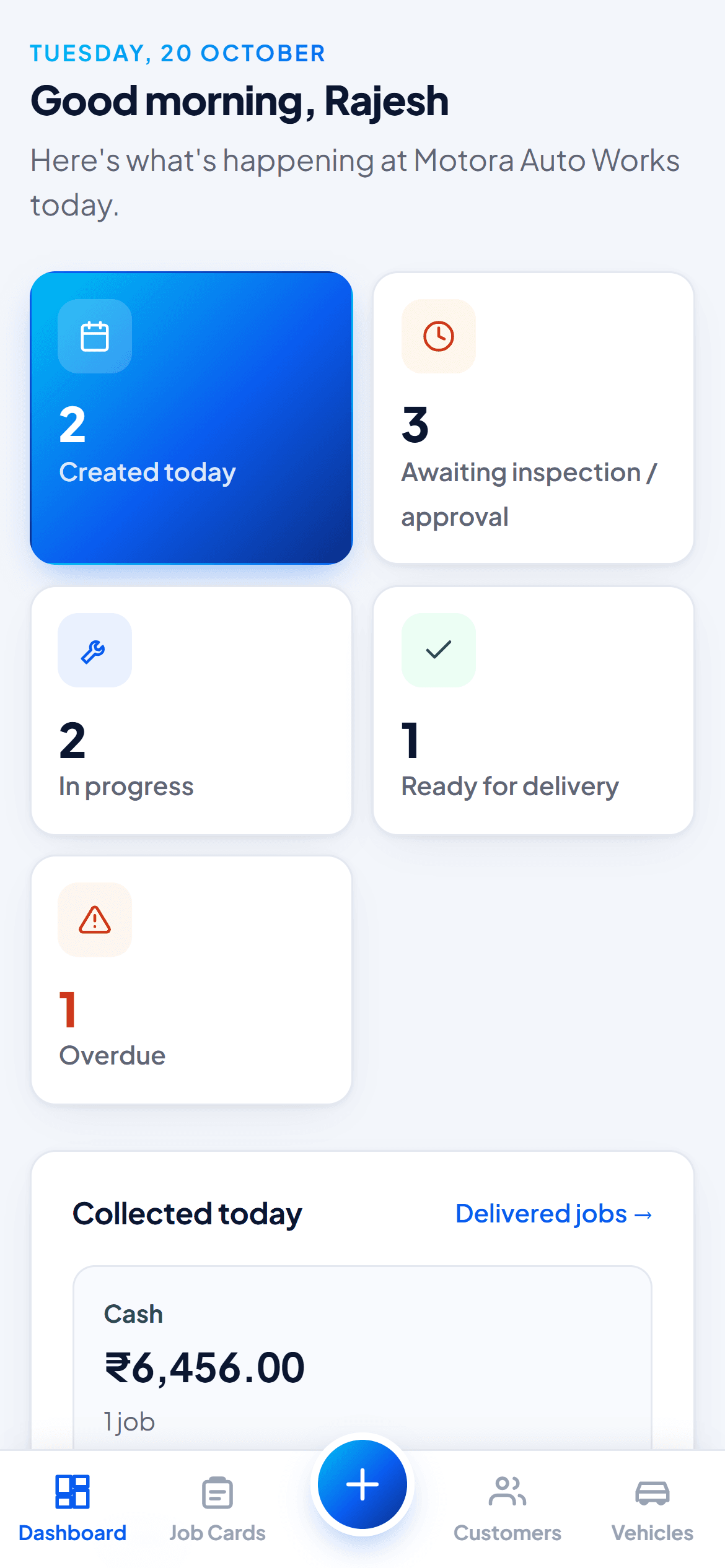
Today at a glance 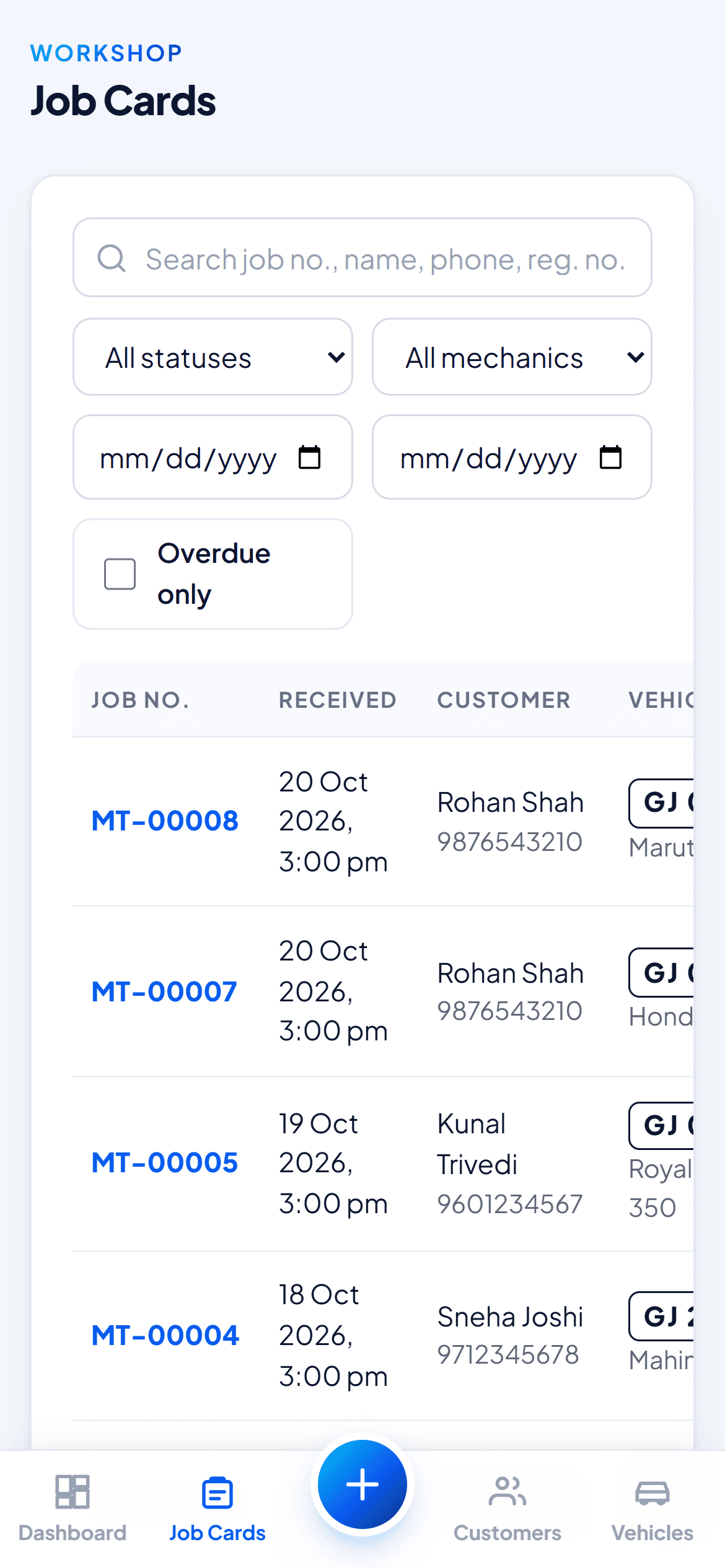
Every job card New job card, by voice Move jobs forward 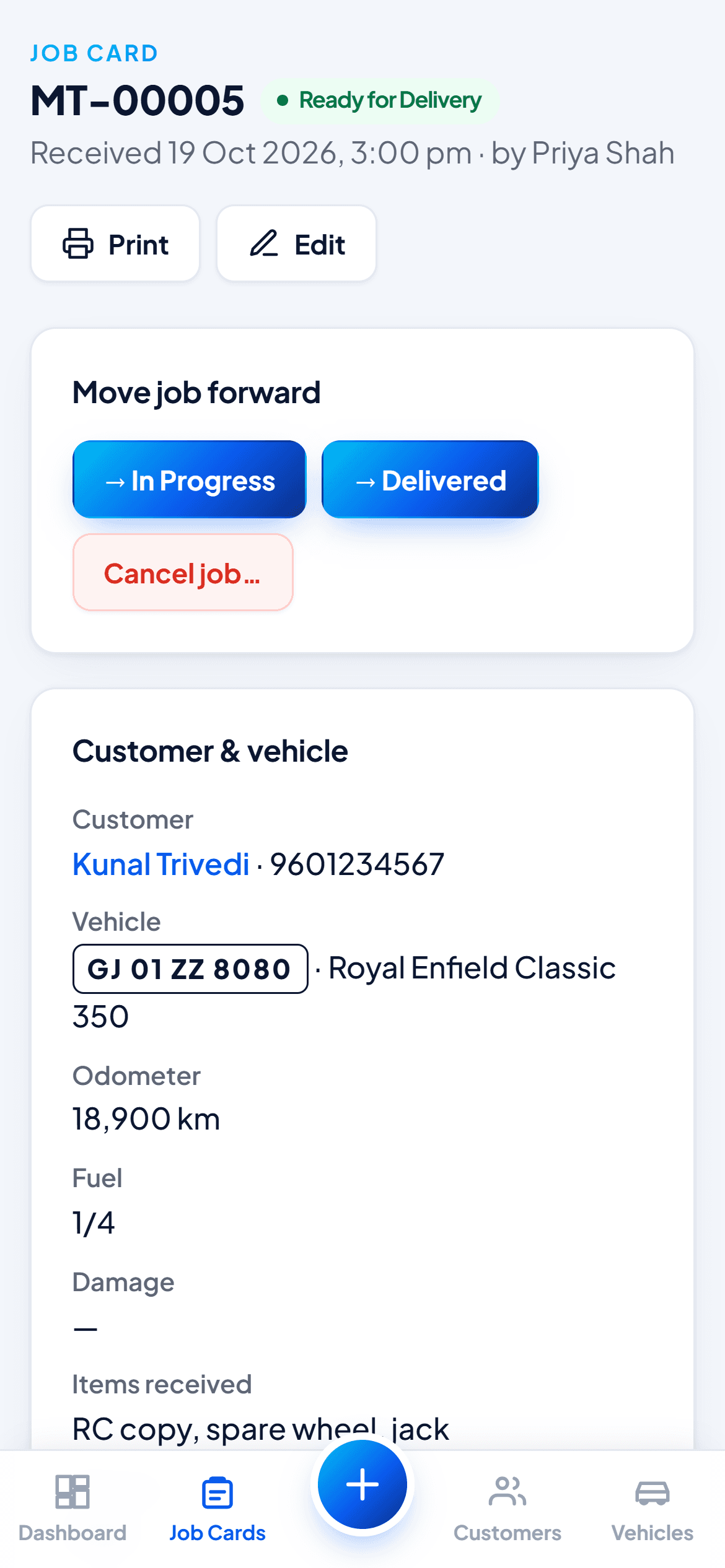
Ready for delivery Delivered and paid 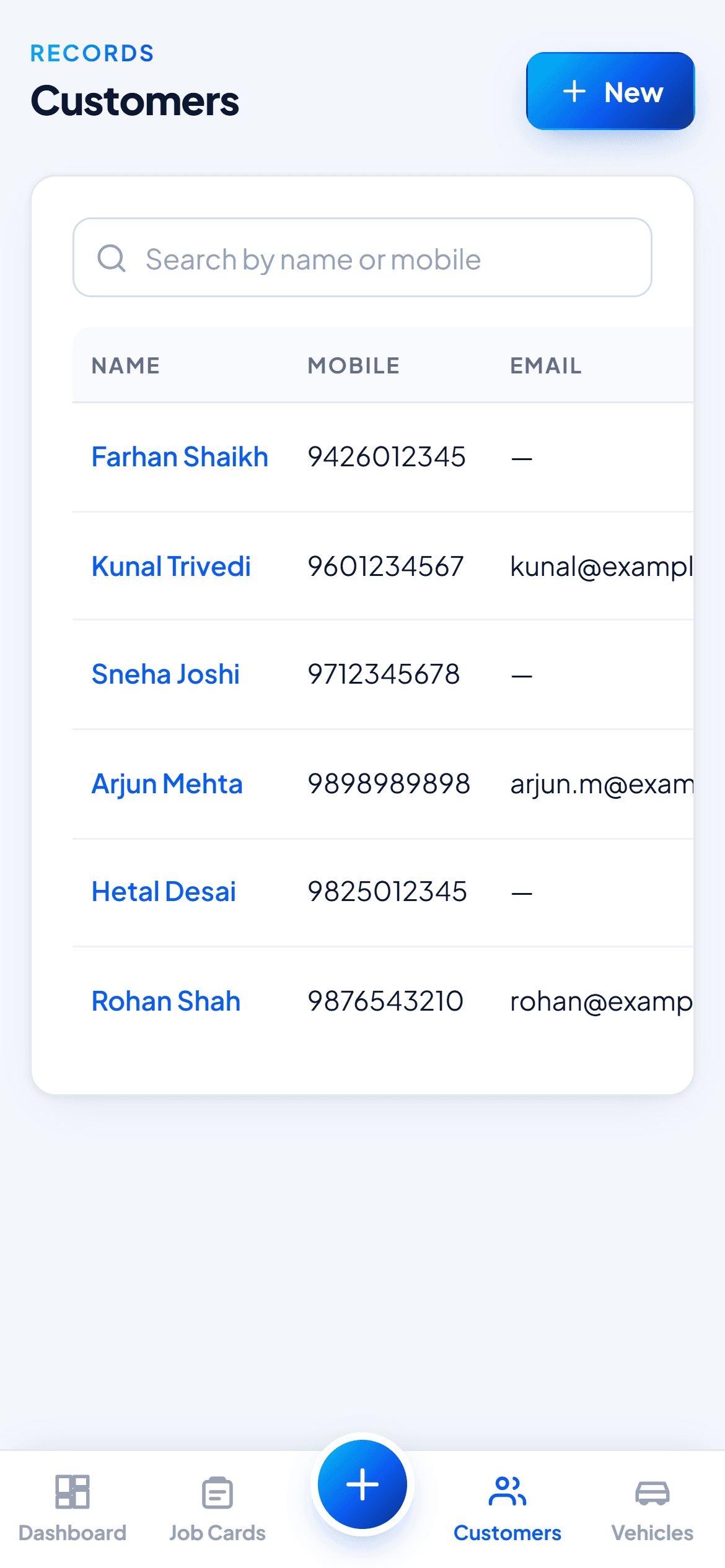
Customers 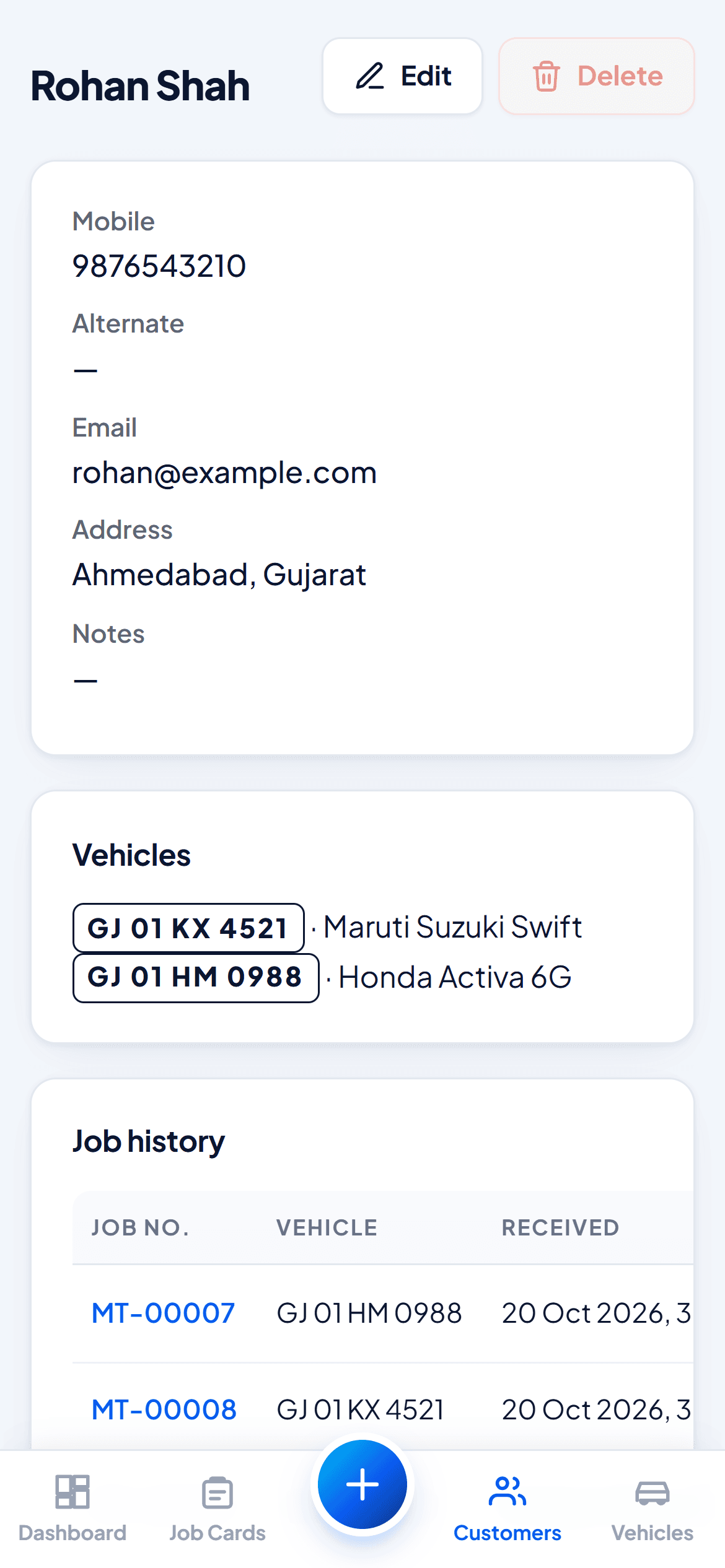
Customer history 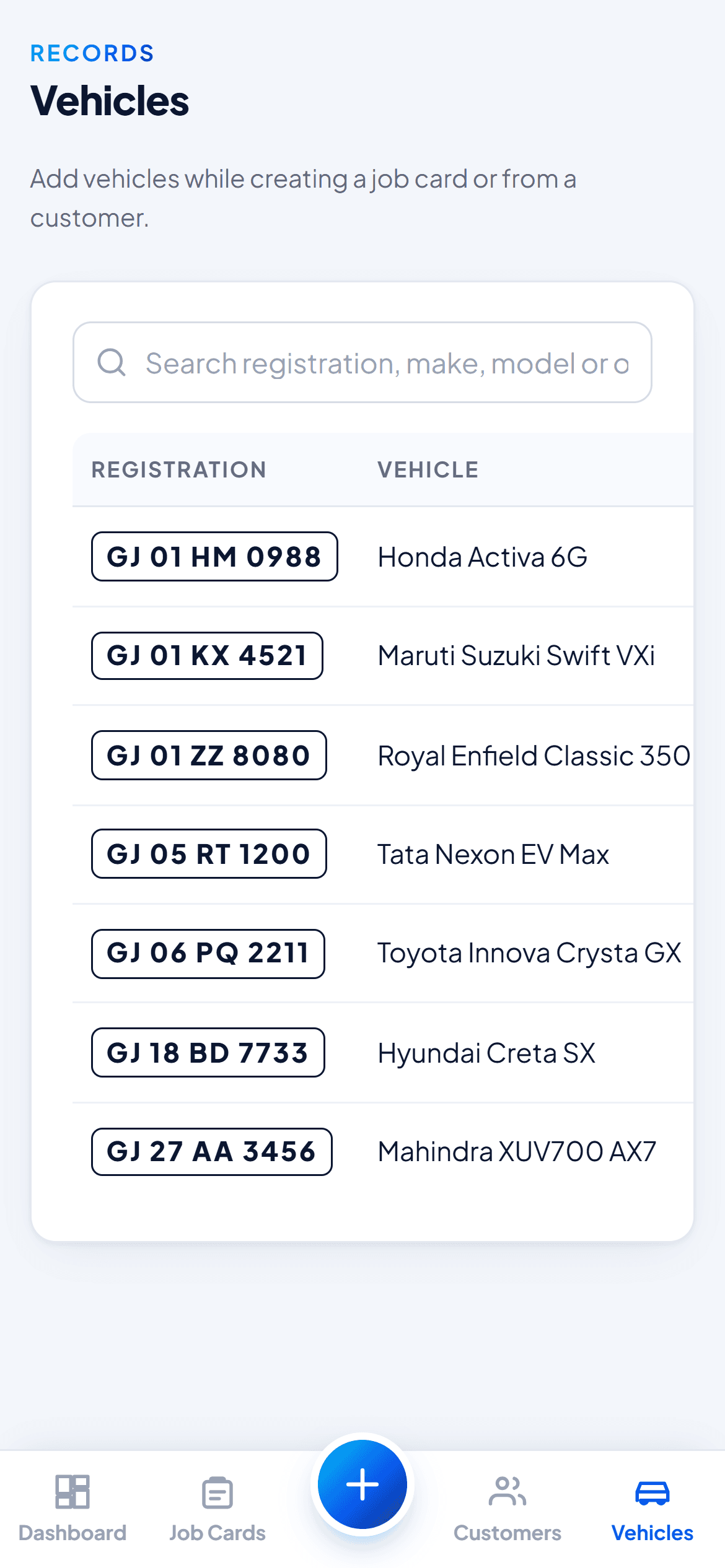
Vehicles 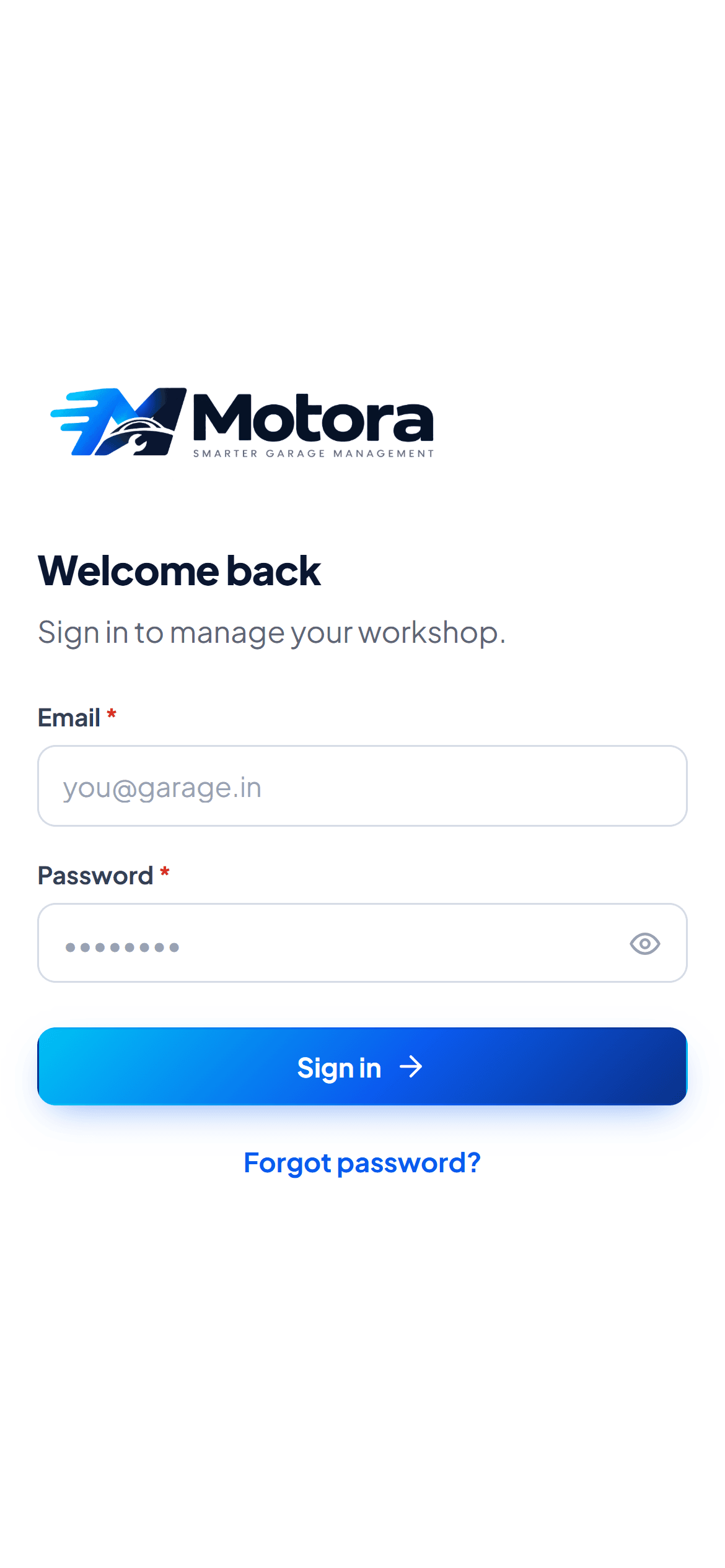
Staff sign-in
FAQs
Questions garage owners ask
Do I need to install anything?
No. Motora runs in the browser on any phone, tablet or computer. Your staff just sign in.
Is it hard for my staff to learn?
If they can use WhatsApp, they can use Motora. The screens follow the way your workshop already works: arrive, inspect, repair, deliver.
Is my garage data private?
Yes. Every garage’s data is kept separate, staff see only what their role allows, and every change is recorded.
Does it work for two-wheelers and cars?
Yes. Motora works for bike, scooter and car workshops, and you can set up your own job checklist.
How much does it cost?
It depends on the size of your workshop. Book a demo and we will suggest the right plan for you.
How do we get started?
Book a demo on the Motora website. We will call you, show you Motora, set up your garage and share your staff sign-in details.
Need software for your industry?
Let's build it.
Motora started from the day-to-day problems of real workshops. We bring the same product thinking to yours.